Being a career creative is often more career than creative…
…that’s why I’m thankful to be surrounded by a bunch of talented artists who will let me experiment.
In an age dominated by AI-generated effects and plugins sold by sleazy Instagram editing bros, it’s nice to take a step back and do some surreal visual effects using only your camera and the built-in functionality of my Adobe tools.
Just like God intended.
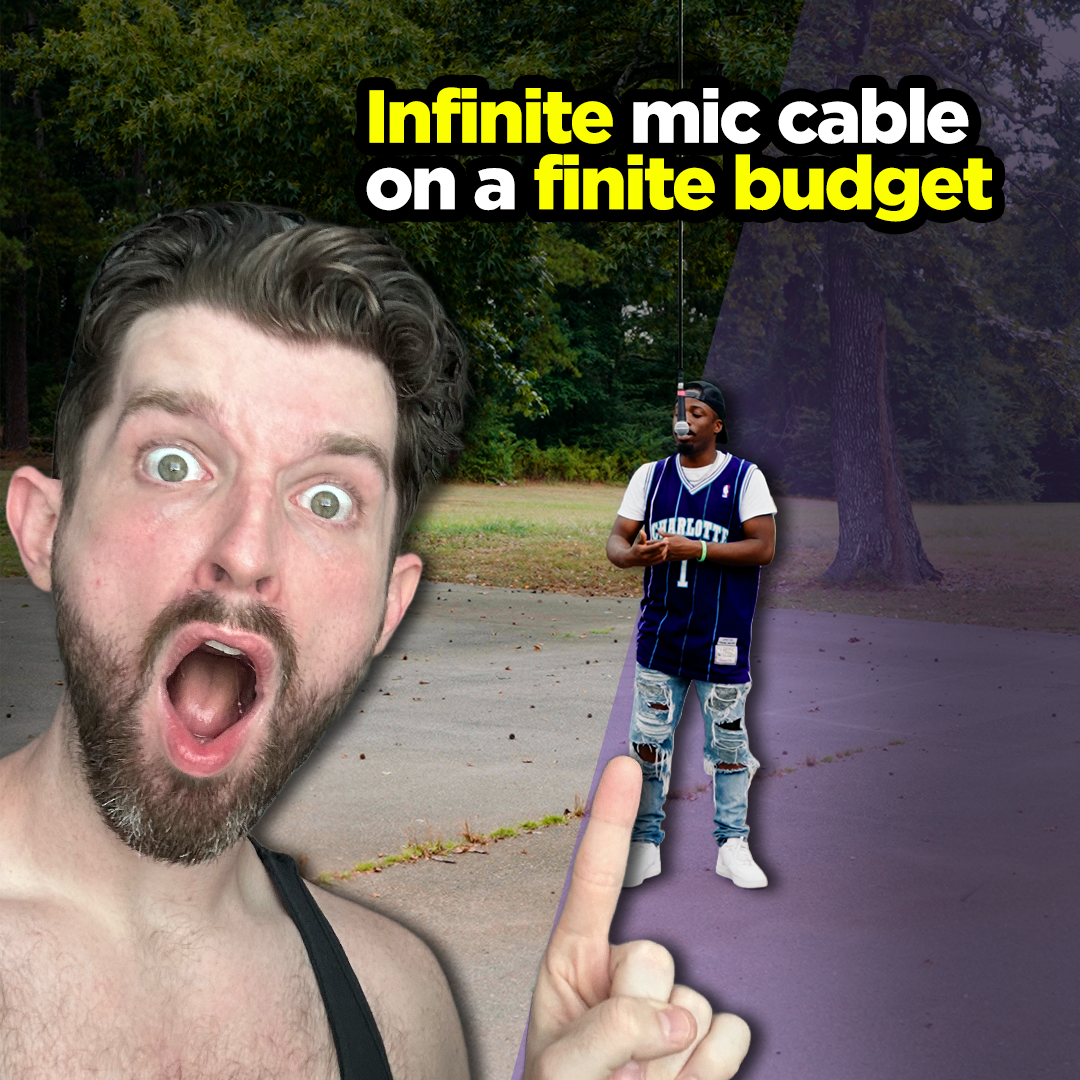
So, in that same vein, I want to show you how I achieved this floating infinite mic cable look using practical rigging, Premiere Pro, and a little bit of Photoshop. (full step-by-step breakdown below)
Step 1: Capture the Practical Shot & Clean Plate
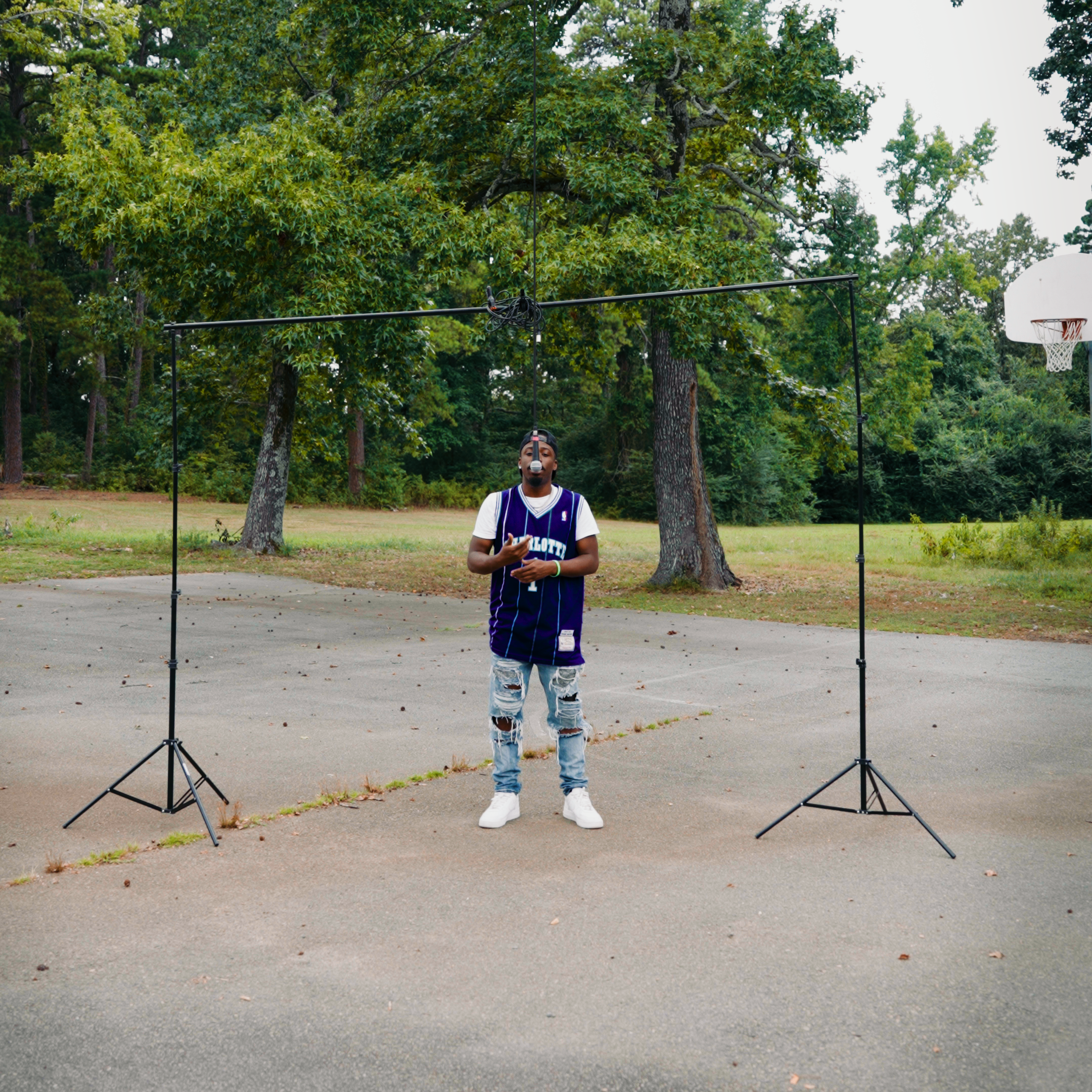
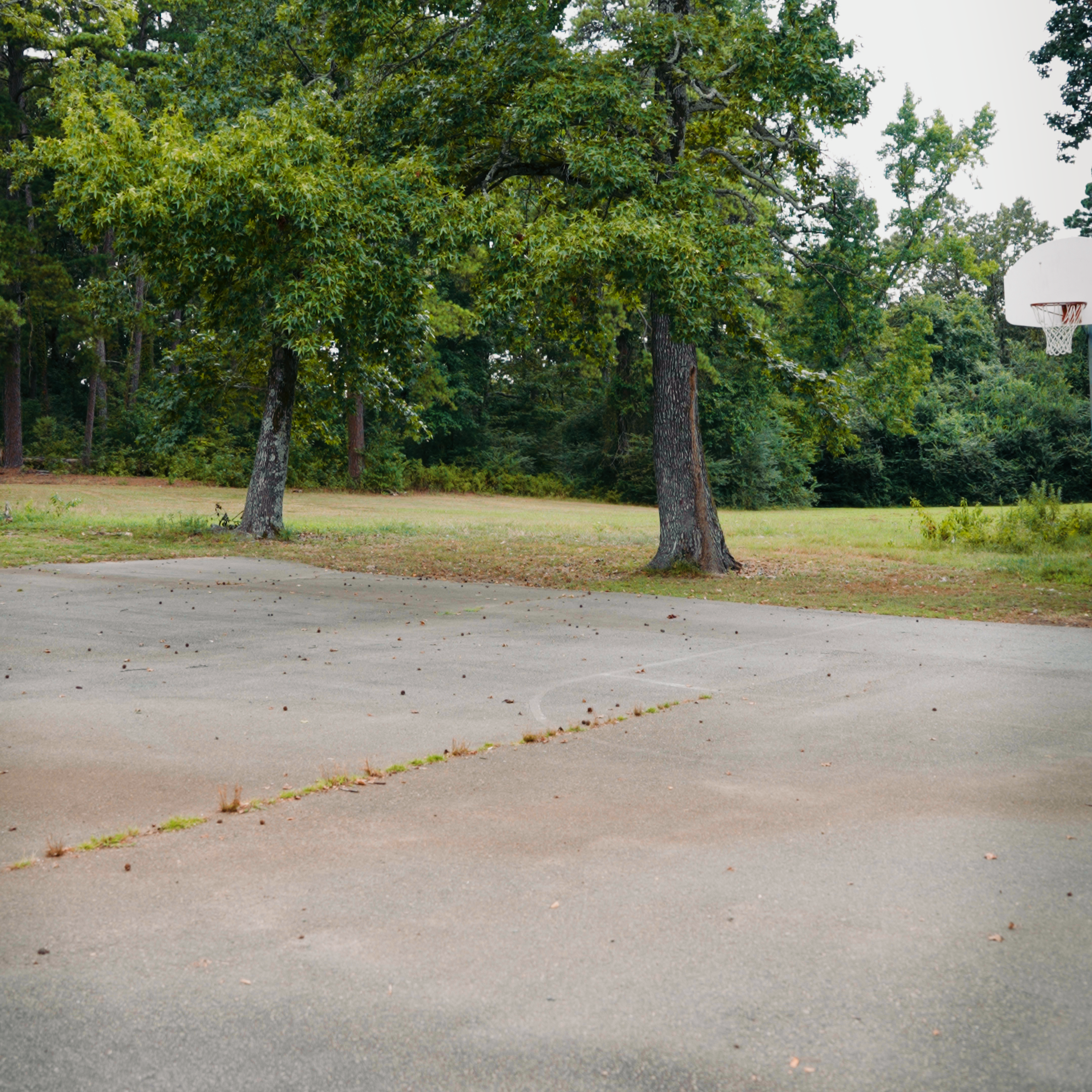
The first thing you have to do to in order to make this work is get a wide shot of the talent with the rigging and the “clean plate.”
The clean plate is literally just another wide shot of the background without the talent and rigging.
Make sure your camera DOES NOT MOVE. That is very important.
Step 2: Mask Out the Rigging in Premiere Pro
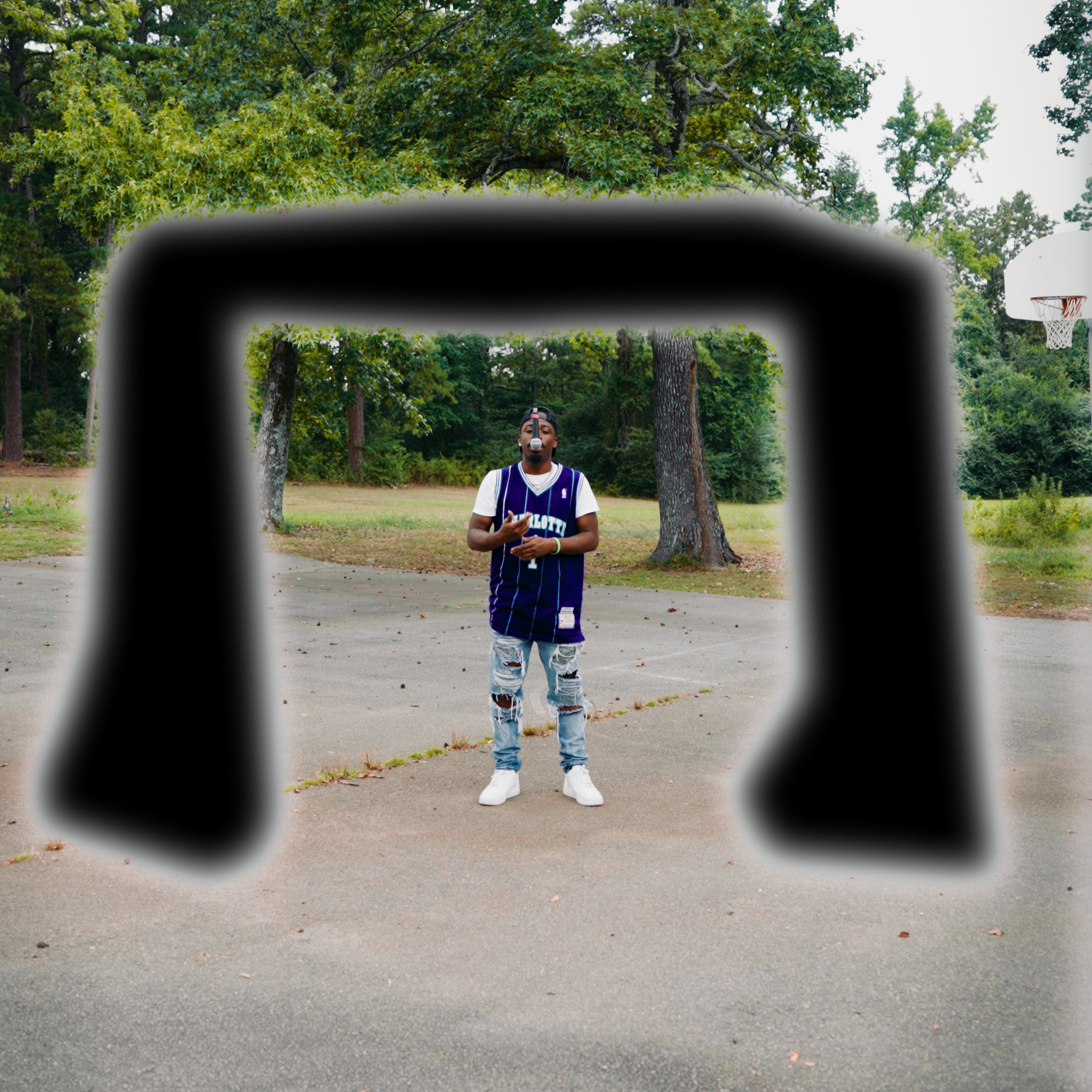
Premiere’s new masking tools are honestly a godsend. Before, I’d have to move all this to After Effects to get the effect I wanted. Now, I can just use the pen tool to get rid of the rigging.
Bring the performance clip onto the timeline
Select the Pen Mask Tool in the Tools Panel
Draw a mask around the rigging
Go to the Effect Controls panel and drag your new mask to Opacity
Check the inverted box so that the rigging area is removed
Once you’re finished, it should look something like this:
Step 3: Composite the Clean Background
Now that we’ve got our rigging out of there, go ahead and put your clean plate directly underneath your performance clip on the timeline. It should fill in the space left by the last step’s mask.
The goal here is a seamless composition, so make sure to experiment with the mask’s feathering and adjust as you see fit.

Step 4: The Infinite Mic Cable
It’s not Halloween yet, so we don’t wanna scare everyone off with our ghostly, floating mic. That’s why I went to Photoshop and created a vertical mic cable graphic that extended all the way to the top edge of the frame. I want to emphasize that I didn’t use AI for this, I just found a picture of a mic cable online and carefully combined a bunch of tiny lengths to make the big one.
So, please pray for your creative friends. They might not have regular struggles like the rest of us, but they are freaking out over painstakingly copy/pasting like 200 little pieces of mic cabling.


The Wrap Up
There you have it, folks. With a little bit of planning and a little bit of brainpower, you can make practical effects without having to pay some Instagram Videographer Bro $40 for an AI generated effects pack.
And, if you’re looking for a videographer in Little Rock, Arkansas, feel free to reach out. We did this with no budget in less than an hour. Look at how cool it turned out. Imagine what I could do for you!